
How to Ace a Video Interview: 10 Steps for 2026
Master how to ace a video interview with proven setup, on-camera, and answer strategies that help you stand out and move to the next round.

By Lan Zhao
You have rehearsed your answers, researched the company, and picked out a professional outfit. Then you get the email: the first round will be a video interview. Whether it is a live conversation over Zoom or a one-way recorded screening, the format adds a layer of pressure that phone screens and in-person meetings do not. The camera catches everything, from your lighting to your posture, and technical glitches can derail even a strong candidate. The good news is that video interviews are highly learnable. With the right preparation, you can turn a nerve-wracking screen into a chance to stand out for all the right reasons.
This guide walks you through how to ace a video interview from start to finish, including setup, on-camera presence, answer strategy, recovery tactics, and follow-up. The advice applies to job seekers at every level, from high school students applying for their first part-time role to experienced professionals switching fields. If you are also mapping out the education or training that will support your next career move, resources such as CollegeDegree.Education can help you compare accredited programs while you focus on landing the job.
Understand What the Interviewer Is Really Evaluating
Before you touch a webcam, it helps to know what hiring managers are watching for. A video interview tests everything a phone screen does, plus a few dimensions unique to the medium. Recruiters are assessing your communication skills, your professionalism, and your ability to stay composed when technology misbehaves. They are also checking whether you fit the role's communication demands. If the job involves client calls, remote collaboration, or regular presentations, your on-camera presence is a preview of your day-to-day performance.
For one-way recorded interviews, the evaluation criteria shift slightly. Hiring teams often review recordings in batches, so clear audio, a strong opening, and concise answers matter even more. They may score you against a rubric that includes structure, relevance, and enthusiasm. Knowing this, you can prioritize the elements that carry the most weight.
Keep these evaluation areas in mind as you prepare:
- Professionalism: background, lighting, attire, and punctuality
- Communication: clarity, pacing, eye contact, and active listening
- Substance: relevant examples, structured answers, and specific results
- Composure: how you handle interruptions, delays, or technical hiccups
- Interest: questions you ask and the energy you bring to the conversation
Once you understand that the interviewer is evaluating both content and delivery, your preparation becomes more targeted. You are not just memorizing answers; you are designing an experience that makes it easy for the interviewer to say yes.
Set Up Your Space and Technology Like a Pro
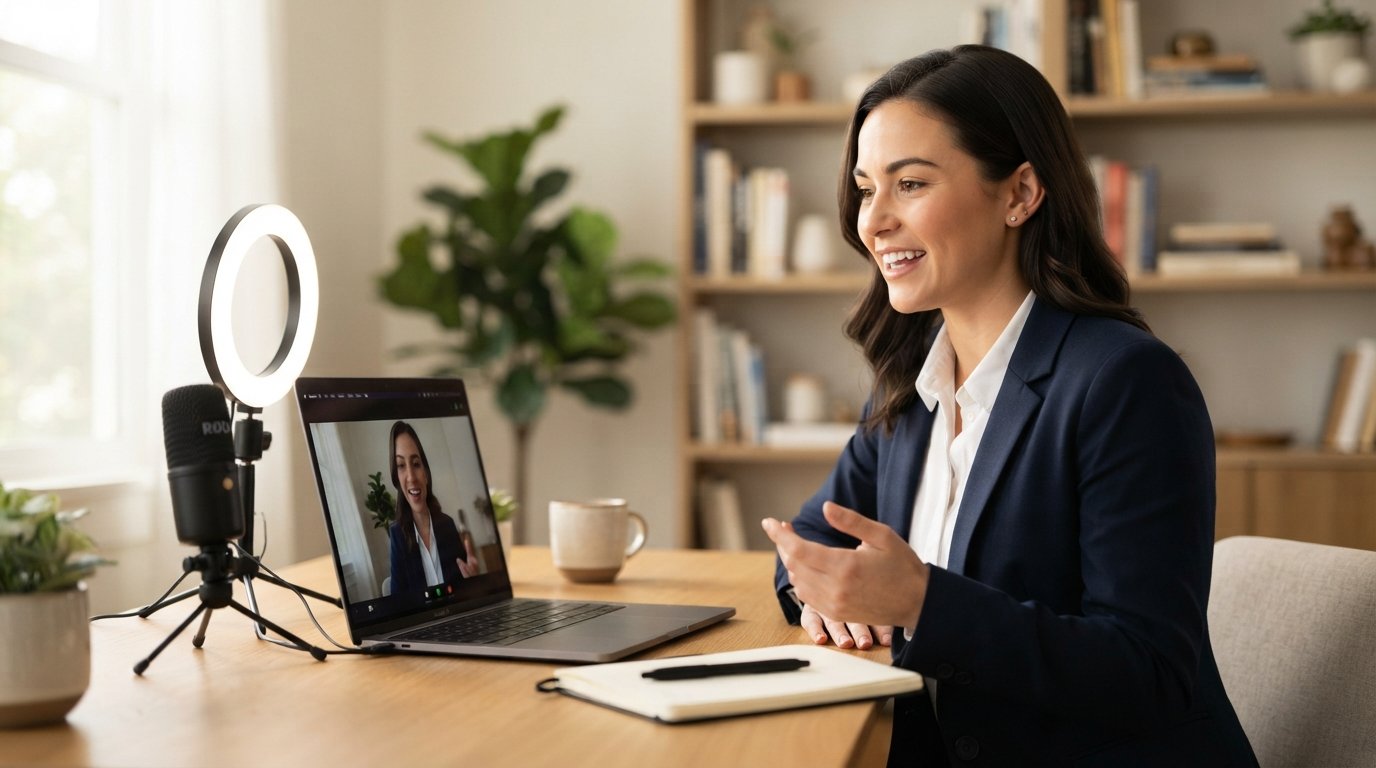
Technical problems are the most common reason video interviews go sideways, and most of them are preventable. Treat your setup as part of the interview itself. Start by testing your internet connection, camera, microphone, and the specific platform the employer plans to use. If the company uses Zoom, Teams, or a proprietary hiring portal, create an account ahead of time and run a test call with a friend. Confirm that your camera is at eye level, your microphone picks up your voice clearly, and your speakers work.
Your physical environment matters just as much. Choose a quiet room with a door you can close, and warn household members about your interview time. Position your desk so the camera faces a wall or a tidy bookshelf rather than a window with harsh backlighting. Natural light in front of you is ideal; if that is not possible, a desk lamp aimed at your face works well. Avoid virtual backgrounds if you can, since they can blur your edges and look unprofessional on slower connections. A clean, simple physical background is safer and more credible.
Here is a quick pre-interview checklist to run through the day before and again 30 minutes before you start:
- Test your internet speed and close bandwidth-heavy apps and tabs.
- Charge your laptop and plug it in, and have a phone hotspot as backup.
- Check your camera angle, lighting, and audio with a short test recording.
- Silence notifications on your computer and phone, and set your status to do not disturb.
- Keep a printed copy of your resume, the job description, and your notes within easy reach.
Small logistical wins build confidence. When you know your technology is reliable, you can focus your energy on the conversation instead of worrying about whether your video will freeze.
Master On-Camera Presence and Body Language
On camera, small habits get amplified. Slouching reads as disinterest, fidgeting distracts from your answers, and looking away from the lens can make you seem evasive. The fix is not to become stiff; it is to become intentional. Sit up straight with your shoulders back, keep your hands visible and relatively still, and lean slightly forward when you want to emphasize a point. These adjustments signal engagement and help you project confidence.
Eye contact is the trickiest element. Looking at the interviewer's face on your screen feels natural, but it means your eyes appear to drift downward from their perspective. To create the impression of direct eye contact, look at your camera lens when you are speaking, especially at the start and end of your answers. You can glance at the screen to read social cues, but return to the lens for key moments. Practice this until it feels normal; a few recorded rehearsals will show you the difference immediately.
Your voice matters as much as your posture. Speak slightly slower than you would in person, articulate your words, and pause briefly between thoughts. Video compression can flatten vocal nuance, so a bit of extra energy helps you come across as warm rather than flat. Smile when it is appropriate, nod to show you are listening, and avoid interrupting even when there is a slight audio delay. These small choices add up to a polished, professional presence.
Prepare Stories and Answers That Land on Video
Strong content still wins interviews, and video format rewards structure. Rambling answers feel longer on camera and are harder for interviewers to follow. Use the STAR method (Situation, Task, Action, Result) to keep your examples tight and results-focused. Aim for 60 to 90 seconds per answer, and lead with the headline before diving into details. For example, instead of recounting every step of a project, start with the outcome: "I increased customer retention by 18 percent in six months, and here is how."
Prepare a core set of stories that can flex across common questions. Most interviews revolve around a handful of themes: teamwork, conflict, failure, leadership, and problem-solving. If you have one strong story for each theme, you can adapt them on the fly. Rehearse out loud, ideally on camera, so you get comfortable hearing your own voice and seeing your delivery. You do not want to sound scripted, but you do want your key points to be automatic.
Also prepare for the questions that are unique to video interviews. You may be asked to complete a timed exercise, record answers without a live interviewer, or explain a gap in your resume. For recorded interviews, treat the prompt as a mini-presentation: take a breath, restate the question in your head, and answer in a clear arc. For live interviews, keep a notebook handy and jot down keywords so you do not lose your place. Having a few thoughtful questions ready for the interviewer also demonstrates genuine interest and gives you a chance to steer the conversation toward your strengths.
Handle Nerves, Tech Glitches, and Awkward Moments
Even with perfect preparation, things go wrong. Your Wi-Fi may drop, a neighbor may start mowing the lawn, or you may blank on a question. What matters is how you recover. If the connection fails, stay calm, reconnect quickly, and apologize briefly without over-explaining. Interviewers expect occasional technical issues, and a composed response actually demonstrates grace under pressure. If you need a moment to think, say so: "That is a great question; let me think for a second." A short pause reads as thoughtful, not unprepared.
Nerves are normal, and they are manageable. Before the call, take a few slow breaths, stretch your shoulders, and remind yourself that the interviewer wants you to succeed. During the call, keep a glass of water nearby and take a sip if your mouth goes dry. If you catch yourself fidgeting or speaking too fast, pause, smile, and reset. You can also anchor yourself with a physical cue, such as pressing your feet into the floor, to steady your voice and posture.
One more recovery tactic: keep a short list of accomplishments and keywords taped near your camera. Glancing at it is far less obvious than reading from a script, and it can rescue you if your mind goes blank. The goal is not perfection; it is poise. Interviewers remember how you made them feel, and a calm recovery often leaves a stronger impression than a flawless but stiff performance.
Follow Up and Keep the Momentum Going
The interview is not over when the call ends. Send a brief thank-you email within 24 hours, referencing something specific from the conversation. This is not just polite; it keeps your name in front of the hiring team and gives you a chance to reinforce a key point. If you promised to send additional materials, such as a portfolio or references, do so promptly. If you are interviewing for a role that requires specific credentials, such as a certification or degree, you can mention that you are actively exploring programs and continuing your professional development.
Reflect on the experience while it is fresh. What went well? Where did you stumble? If you have another video interview coming up, use this one as a rehearsal and adjust your setup or answers accordingly. Over time, you will build a repeatable routine that makes video interviews feel routine rather than intimidating.
Finally, remember that landing the interview is already an achievement. Each conversation is practice for the next one, and the skills you build, from on-camera presence to structured storytelling, will serve you throughout your career. Whether you are a student preparing for a first internship, a working adult changing fields, or a veteran returning to the workforce, the ability to present yourself well on video is a durable advantage.
Sponsored school listings are unavailable
This block is reserved for sponsored schools from the education listing partner. That connection is not set up for this site, so no school names, program offers, or request form can be shown.